


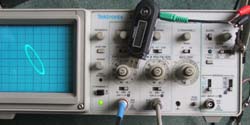


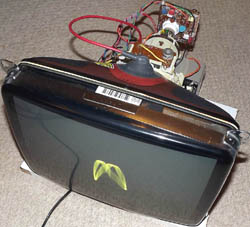

Lissajous figures displayed on a CRT
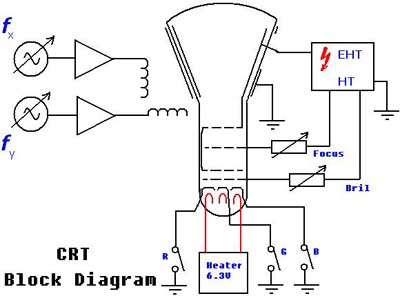
The block diagram below illustrates the setup required to produce Lissajous figures on a TV or monitor Cathode Ray Tube (CRT). Firstly, connect the tube up so that a sharp spot can be achieved on the centre of the screen. If this spot is left stationary and bright for even a short period of time, the CRT phosphor will become burned and a small black spot will remain on the screen. The Line and Field coils are connected to amplifiers with inputs connected to signal generators. As the coils are inductive, field amplitude also will vary with frequency. This can be compensated for by adjusting the gain of the amplifiers.
With a colour CRT the red, green, and blue guns can be selected in any combination. In this set-up the purity is not correct and the individual colour can be seen to change over the screen.
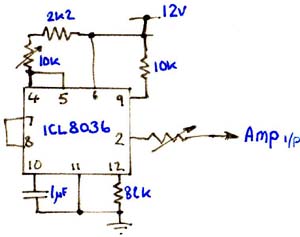
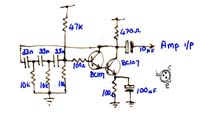
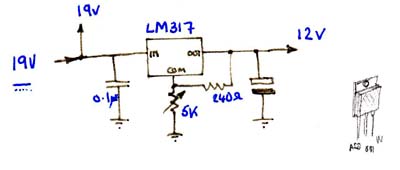
More details on the circuit are shown at the bottom of this page. No components are critical so there is plenty of scope for experimenting. However, it is worth matching the Flyback transformer with the CRT used.
Sound image
Can't be bothered setting up two signals
generators? Not a problem, a short MP3 file can be down loaded from here. Nice
to know that MP3 compression preserves the phase so it can be used for this
purpose. The source starts with equal sine frequencies on both channels. It
then changes to triangular and square. The square is not faithfully reproduced
due to the input amp response, but the image is interesting all the
same.
The simple fixed oscillator is for convenience alternatively two adjustable oscillator circuit can be used.
A different signal source can also be added at this point. I did think of adding a jack socket for an audio input.
'Click' on the noise icon right, to start down load.
Then simply connect the left and right channels to the X and Y
scope inputs. Set the time base for external X input and set the volt/dev to
about 0.1V. Then play the MP3.

